
HotelXray Blog
Marriott Bonvoy Award Calendar: Points vs Cash for Every Night
A Marriott Bonvoy point is worth about 0.7¢. See points, cash and CPP for every night beside marriott.com, Standard and Upgraded redemptions included.
Last updated
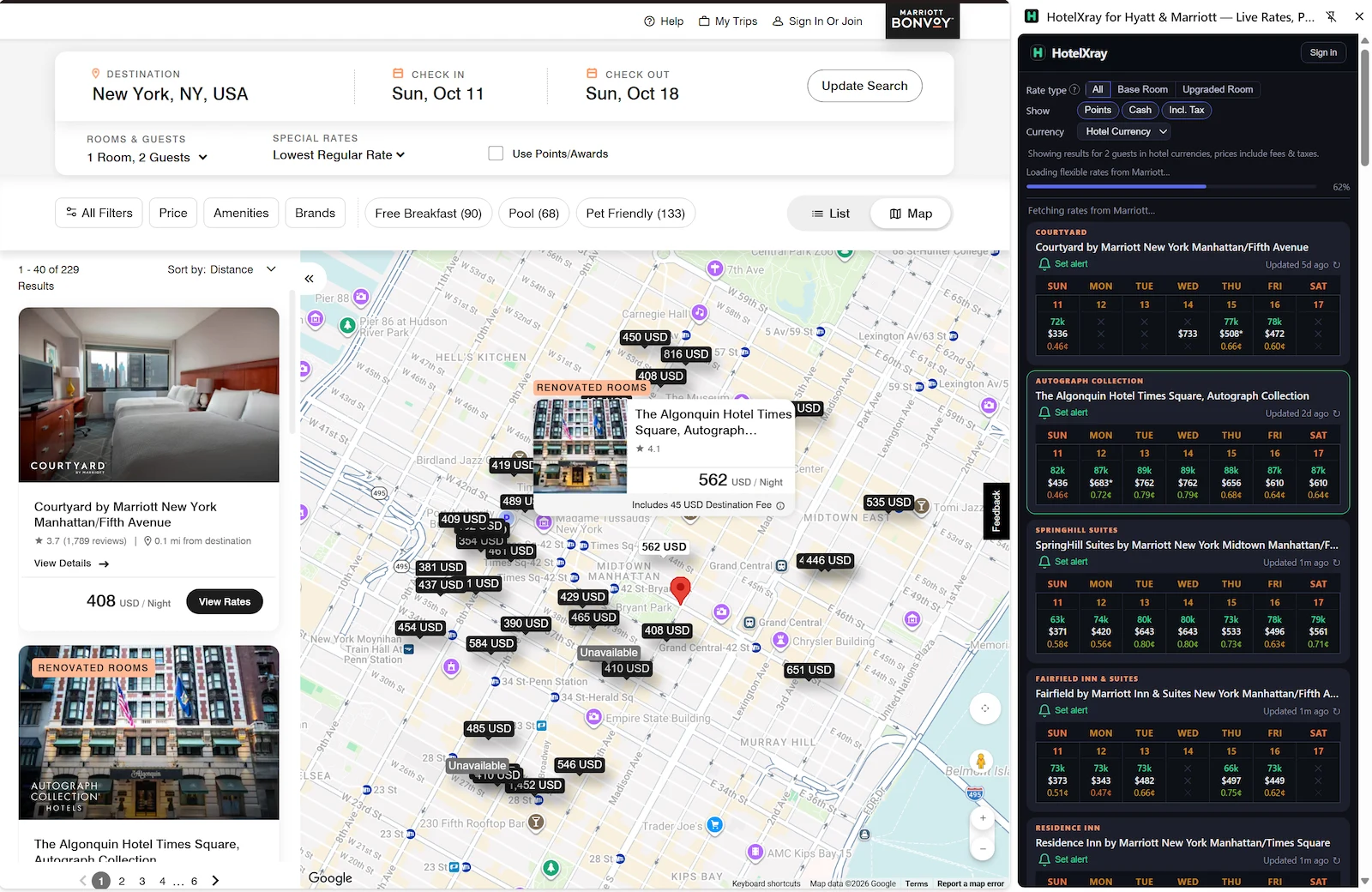
HotelXray shows Marriott Bonvoy points, cash rates and cents per point (CPP) for every night of the month in a Chrome side panel beside marriott.com, with Standard and Upgraded redemptions, club lounge reports, alerts and reservation monitoring. It works the same way on Hyatt, Hilton and IHG (all four compared).
For Marriott Bonvoy members, that means comparing dates, hotels, and room options in one side panel while browsing Marriott’s website.
Compare an entire month
On a Marriott hotel page, HotelXray brings cash rates, points prices, and cents-per-point values together in a monthly calendar. Every CPP is colored by where it ranks among Marriott Bonvoy award nights, red for the bottom fifth to green for the top fifth, so dates worth a closer look stand out as results load. The CPP scale under the calendar marks the night you select and shows how it ranks. A Marriott point is worth about 0.7 cents; a night at 0.72¢ or more is a good redemption and 0.87¢ or more a great one (how much hotel points are worth).
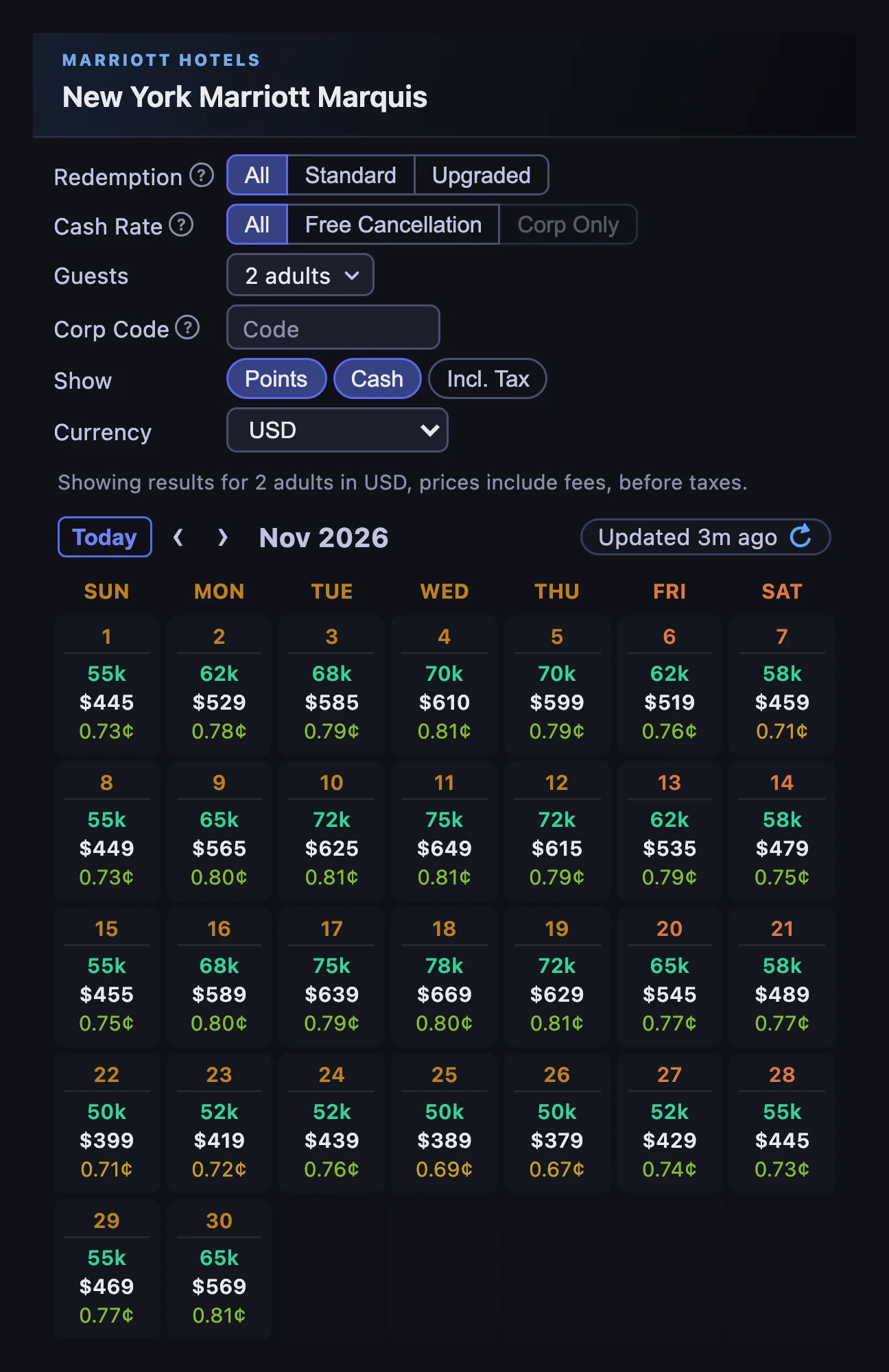
Explore exact or flexible dates, then check the room and rate options for the stay you want. A lower points price on another date may make moving your trip worthwhile; an inexpensive cash rate may make saving your points the better choice.
Refresh rates whenever you need a fresh check. On-demand refreshes are free, with no quotas or credits to manage.
Compare hotels from the search page
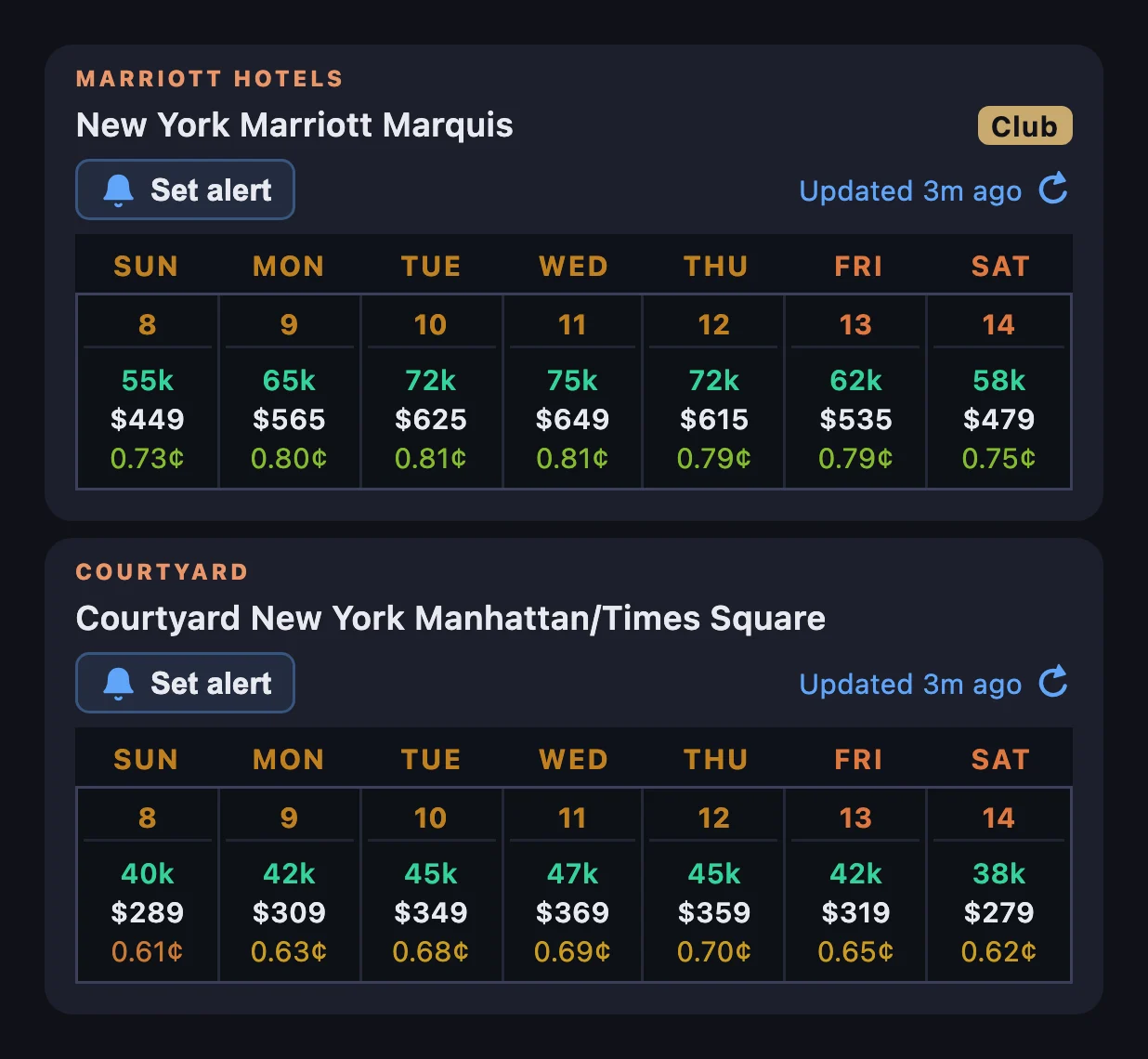
HotelXray also works alongside Marriott search results. Compare cash and points across the hotels you’re considering without opening every listing individually.
The Club badge marks hotels with researched lounges, so you can spot them while you compare prices and locations.
Standard vs Upgraded Marriott redemptions
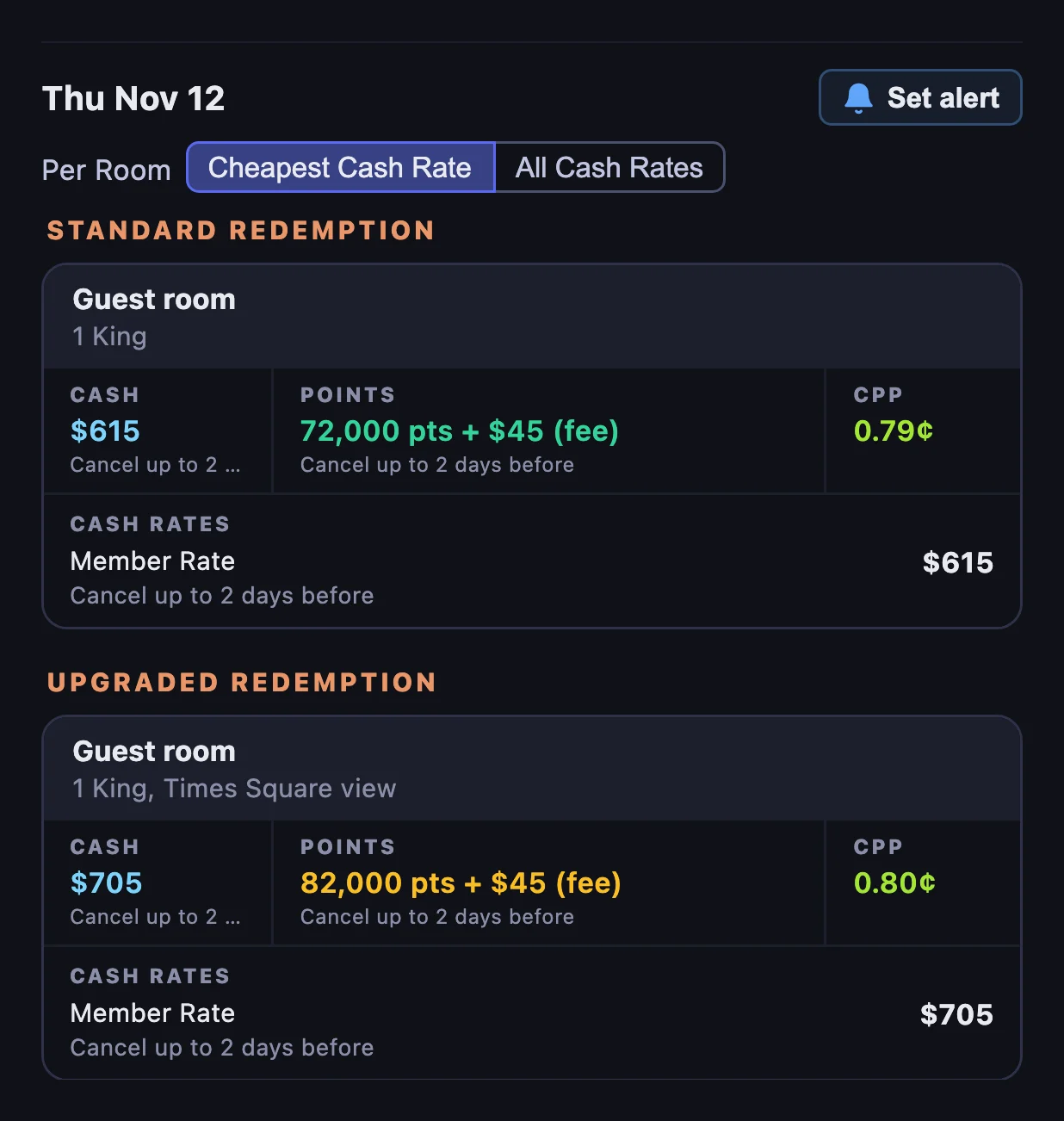
A Marriott Bonvoy standard redemption books the hotel’s base room for points; an upgraded redemption books a better room for more points or for points plus cash. Open a date to see individual rooms and their available rates. The Redemption filter lets you choose:
- All to see both standard and upgraded redemptions.
- Standard to focus on standard room redemptions.
- Upgraded to find upgraded rooms offered for more points or for points plus cash.
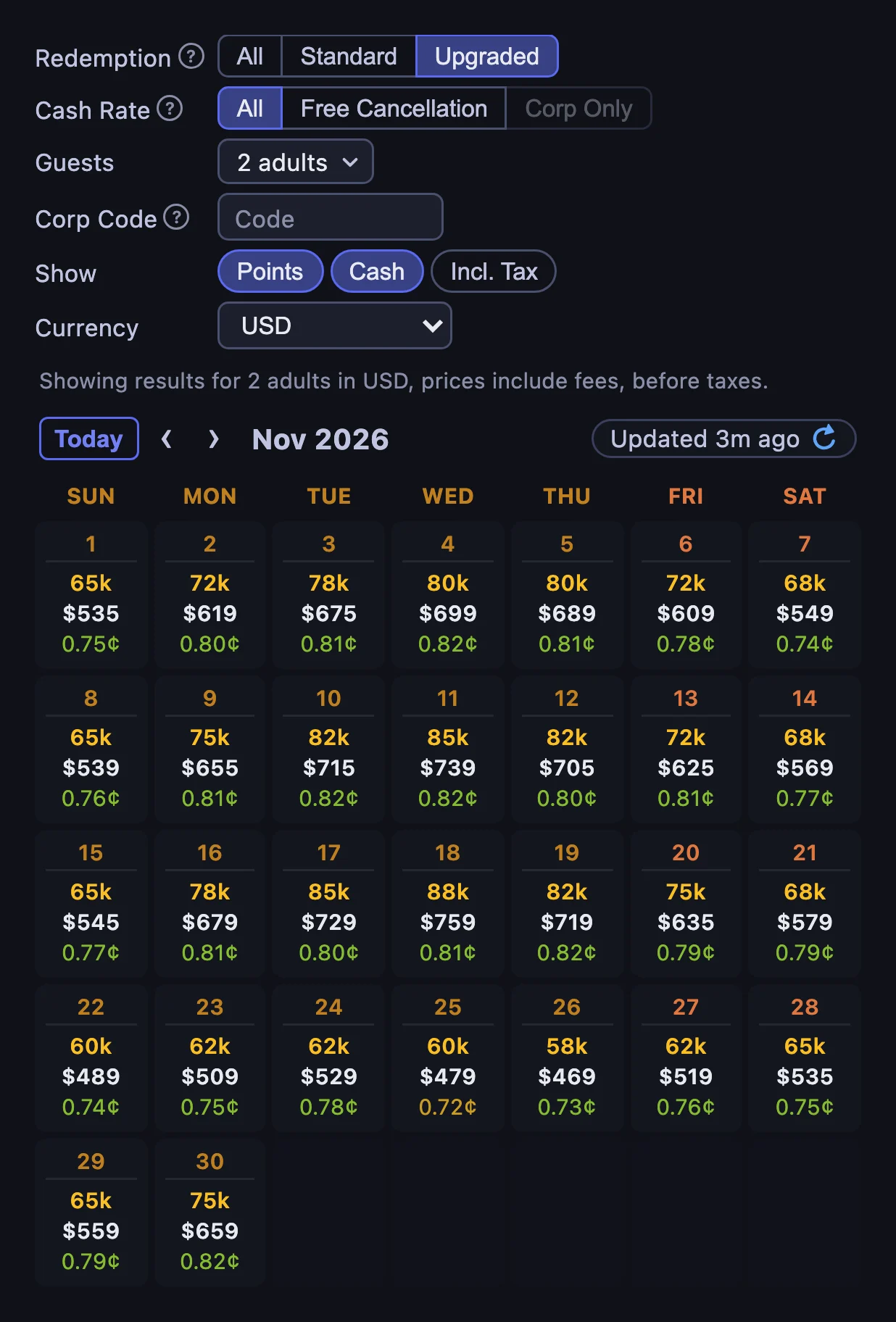
Room details show cash, full-points awards, and Points + Cash where offered. CPP compares cash and points for the same room and stay, so an upgraded room’s points price is paired with its own cash rate. Every rate shows its cancellation terms, and you can list every rate for a room instead of just the cheapest. HotelXray tags a room Club access when marriott.com says it includes the lounge.
Choose your preferred cash display currency and include taxes where available.
The Cash Rate row changes which cash rate each night shows. Free Cancellation shows the cheapest rate you can cancel for free, and Corp Only shows your company’s rate once you enter its code under Corp Code. Guests prices the month for your own party, children included. See the guides to free cancellation rates, corporate rates and prices for your guest count.
Research club lounges before choosing a hotel
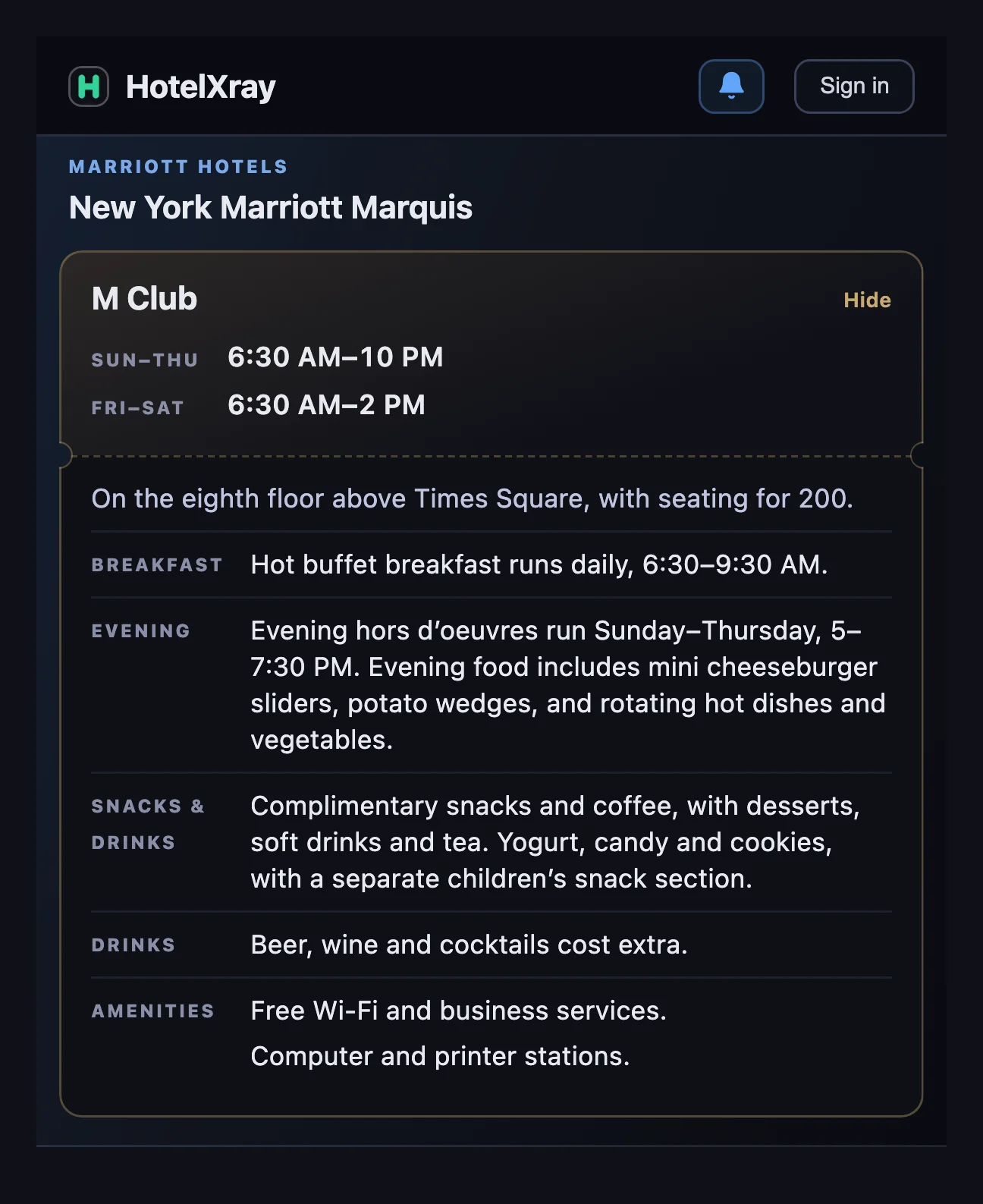
Compare the breakfast, evening food and everyday convenience a lounge adds to your stay. HotelXray’s free lounge reports cover:
- Location and opening hours
- Breakfast, including service outside the lounge
- Evening food and drinks, with extra charges called out
- Service days, guest restrictions and known closures
For example, a lounge may offer breakfast daily but evening food only on weekdays. That difference matters when you’re planning a weekend stay.
The Marriott club lounge guide explains Bonvoy lounge access, club rooms and how to decide whether access is worth the room premium.
Award & rate alerts
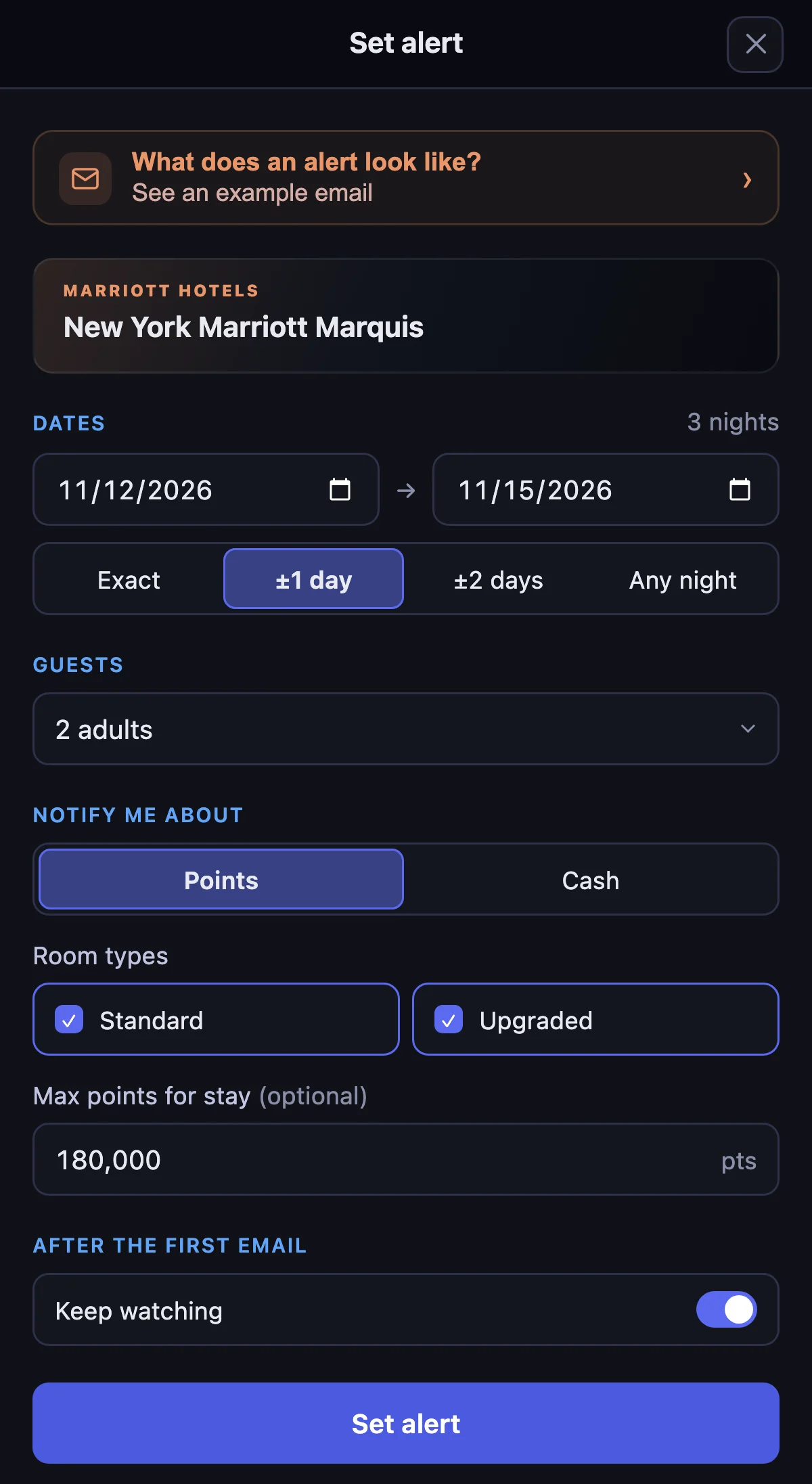
When your preferred rate or award isn’t available, set an alert from a hotel result or calendar date. HotelXray can keep checking after you close the browser.
Watch for a points stay in a standard room, an upgraded room or either one, with one points budget for the stay, or watch for a cash rate below your price. Watch exact or flexible dates, or any single night within a range, and turn on Keep watching under After the first email to hear about another price drop or newly available award. An alert can be priced for your guests, and a cash alert can skip non-refundable rates or watch your corp code’s rate.
Every alert includes an Alert check log showing when each check ran, what it found, and which results matched. Match emails include the stay, the qualifying rate or award, and direct booking links.
Follow one example from setup to booking in the Marriott award alerts guide.
Reservation monitoring
Already booked? Marriott prices keep moving after you book, and if your rate can be cancelled for free, a lower price for the same room is money you can get back. Open the reservation on marriott.com with the side panel open, select Allow the first time, then Start monitoring. HotelXray checks your exact room and rate until free cancellation ends or you check in, and emails you when the stay costs less, so you can rebook and cancel the original. It never changes or cancels the booking itself.
Monitor your hotel reservation for price drops walks through the settings, the emails and what HotelXray reads.
Get started
Install HotelXray, open the side panel and turn on access for marriott.com. You can add Hyatt, Hilton and IHG at any time.
Comparing rates, exploring rooms, and reading lounge details are free, with no HotelXray account required. Your email address is enough to save alerts, monitor bookings and receive emails. Reading your bookings stays off until you select Allow, and HotelXray never asks for your Marriott password or Bonvoy credentials.
See more when you search Hyatt, Marriott, Hilton or IHG
Compare cash and points across the month, check lounge details, and create rate or award alerts.
Add HotelXray to Chrome